2024-03-23

Finally removed PowerDirectorforDell from WindowsApps release atleast 1GB space


PS C:\WINDOWS\system32> Get-AppxPackage -allusers *PowerDirectorforDell*

Name                   : DB6EA5DB.PowerDirectorforDell
Publisher              : CN=899678FE-321F-4A81-BE95-1802E9A98F2F
Architecture           : X64
ResourceId             :
Version                : 15.0.4409.0
PackageFullName        : DB6EA5DB.PowerDirectorforDell_15.0.4409.0_x64__mcezb6ze687jp
InstallLocation        : C:\Program Files\WindowsApps\DB6EA5DB.PowerDirectorforDell_15.0.4409.0_x64__mcezb6ze687jp
IsFramework            : False
PackageFamilyName      : DB6EA5DB.PowerDirectorforDell_mcezb6ze687jp
PublisherId            : mcezb6ze687jp
PackageUserInformation : {S-1-5-21-72608189-3911518983-1797934022-1027 [UserAbc]: Installed}
IsResourcePackage      : False
IsBundle               : False
IsDevelopmentMode      : False
NonRemovable           : False
IsPartiallyStaged      : False
SignatureKind          : Store
Status                 : Ok


PS C:\WINDOWS\system32>
PS C:\WINDOWS\system32> Get-AppxPackage -allusers *PowerDirectorforDell* | Remove-AppxPackage
Remove-AppxPackage : Deployment failed with HRESULT: 0x80073CF1, Package was not found.
Windows cannot remove DB6EA5DB.PowerDirectorforDell_15.0.4409.0_x64__mcezb6ze687jp because the current user does not have that package installed. Use Get-AppxPackage to see the list of packages installed.
NOTE: For additional information, look for [ActivityId] 1665818d-4c85-0006-ab71-6616854cda01 in the Event Log or use the command line Get-AppPackageLog -ActivityID 1665818d-4c85-0006-ab71-6616854cda01
At line:1 char:52
+ Get-AppxPackage -allusers *PowerDirectorforDell* | Remove-AppxPackage
+                                                    ~~~~~~~~~~~~~~~~~~
    + CategoryInfo          : ObjectNotFound: (DB6EA5DB.PowerD...__mcezb6ze687jp:String) [Remove-AppxPackage], PSInvalidOperationException
    + FullyQualifiedErrorId : DeploymentError,Microsoft.Windows.Appx.PackageManager.Commands.RemoveAppxPackageCommand
PS C:\WINDOWS\system32>
PS C:\WINDOWS\system32> Get-AppxPackage -allusers *PowerDirectorforDell* | Remove-AppxPackage -AllUsers
PS C:\WINDOWS\system32>
PS C:\WINDOWS\system32> Get-AppxPackage -allusers *PowerDirectorforDell*
PS C:\WINDOWS\system32>


And others:

Get-AppxPackage -allusers *PowerDirectorforDell* | Remove-AppxPackage -AllUsers

Get-AppxPackage -allusers *Bing* | Remove-AppxPackage -AllUsers

Get-AppxPackage -allusers *photo*  | Remove-AppxPackage -AllUsers

Get-AppxPackage -allusers *phone* | Remove-AppxPackage -AllUsers

Get-AppxPackage -allusers *skype* | Remove-AppxPackage -AllUsers


2024-03-18

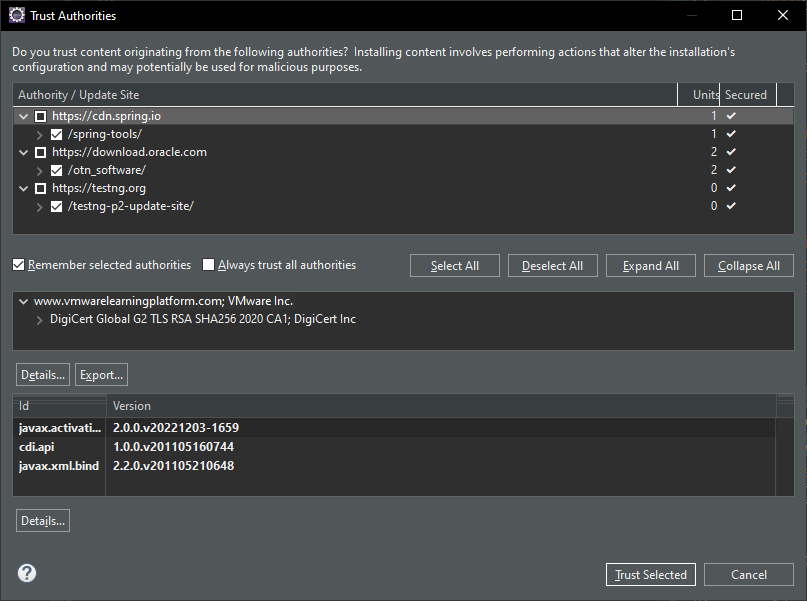
MemoryAnalyzer Eclipse


Prerequisite: JDK 17
 

Eclipse Version: 2023-06 (4.28.0)


MemoryAnalyzer-1.15.0.202312061754.zip


After install MemoryAnalyzer, failed to communicate with SVN with SSL lower than 2

Locate relevant java.security file

eclipse-jee-2023-06-R-win32-x86_64\plugins\org.eclipse.justj.openjdk.hotspot.jre.full.win32.x86_64_17.0.10.v20240120-1143\jre\conf\security\java.security

Then edit the tls config by removing ", TLSv1, TLSv1.1"


From:

jdk.tls.disabledAlgorithms=SSLv3, TLSv1, TLSv1.1, RC4, DES, MD5withRSA, \
    DH keySize < 1024, EC keySize < 224, 3DES_EDE_CBC, anon, NULL

To:
jdk.tls.disabledAlgorithms=SSLv3, RC4, DES, MD5withRSA, \
    DH keySize < 1024, EC keySize < 224, 3DES_EDE_CBC, anon, NULL


2024-02-05

Eclipse project explorer font size

 
Windows > Preferences
General > Appearance > Colors and Fonts
> View and Editor Folders


From Size 9 to 12


2024-01-30

maven.test.skip.exec vs skipTests


Source URL: https://stackoverflow.com/a/21933970


"maven.test.skip.exec=true" the tests get compiled, but not executed.

"maven.test.skip=true" doesn't compile or execute the tests.

"-DskipTests" is the same as "maven.test.skip.exec=true"


pom.xml

<properties>

...

<skipTests>true</skipTests>

<!-- reference URL: https://www.cnblogs.com/mozq/p/12028198.html

https://stackoverflow.com/a/21933970

<skipTests>true</skipTests>

Deprecated : maven.test.skip.exec

-->
...

</properties>


2023-12-19

Anydesk contacts and histories been "reset" after keyin / provided License Key.


Anydesk contacts and histories been "reset" after keyin / provided License Key.


Affected by config file: C:\Users\[Your User ID]\AppData\Roaming\AnyDesk\user.conf


From folder: C:\Users\[Your User ID]\AppData\Roaming\AnyDesk\

There should have a few backups for your recovery, printscreen as below:


2023-11-21

Maven dependencies messed up.


Eclipse: 202306R

Resolved by removed the version from project build path.

Scenario: 
Expecting to use common-io version 2.X
but eclipse always prompt that function of the class in 2.X was undefined.
when look into the class, it refer to version 1.X

traced through maven dependencies was showing correctly, but the version in eclipse project build path was showing version 1.x.


2023-11-02

Google Birthday...


https://ssl.gstatic.com/gb/images/birthday/apd_desktop_1x.gif


https://ssl.gstatic.com/gb/images/birthday/apd_desktop_2x.gif


2023-10-13

Maven:install error artifact.jar.tmp -> artifact.jar


[ERROR] Failed to execute goal org.apache.maven.plugins:maven-install-plugin:3.1.1:install(default-install) on project <YourMavenArtifactID>: Failed to install artifact <YourMavenArtifactGroup:YourMavenArtifactID>:jar:0.0.1-SNAPSHOT: <YourMavenArtifactJarFullPath>.8123123123123123123.tmp -> <YourMavenArtifactJarFullPath> -> [Help 1]


Initially have no idea what was really is.
But since file naming .jar.tmp -> .jar
Maybe referring to file replacement.

After I close my another eclipse, then maven install can be completed successfully.


2023-09-08

Internet Options - USE TLS grey out.


Internet Options
Some settings are managed by your system administrator.

Reference:


After Enabled:     Turn off encryption support

Use TLS checkboxes are grey out.


Struggled few days then found this....


Although has set Not Configured for  Turn off encryption support


Still need to remove/delete/rename key below to enable those TLS checkboxes in Internet Options.

Computer\HKEY_LOCAL_MACHINE\SOFTWARE\Policies\Microsoft\Windows\CurrentVersion\Internet Settings\SecureProtocols


What I did were:
  1. Set Not Configured for Turn off encryption support in:
    1. Computer Configuration:

      Local Computer Policy
       > Computer Configuration > Administrative Templets > Windows Components > Internet Explorer > Internet Control Panel > Advanced Page > Turn off encryption support

    2. User Configuration:

      Local Computer Policy
       > User Configuration Administrative Templets > Windows Components > Internet Explorer > Internet Control Panel > Advanced Page > Turn off encryption support

  2. Renamed key of SecureProtocols to tobedeleted_SecureProtocols


Relevant:
  1. FortiClient failed to connect.


2023-08-30

git svn clone Unable to connect to a repository at URL Error running context: An error occurred during SSL communication at mingw64/share/perl5/Git/SVN.pm line 148


Hit this issue with version: PortableGit-2.42.0-64-bit 


Working on the issue.


But found no issue with:
PortableGit-2.37.3-64-bit


Revert to use PortableGit-2.37.3-64-bit for svn to git migration


gitlab-ctl reconfigure auto reconstructed ssl folder


Issued On Wednesday, 30 August 2023 at 06:46:28

Expires on Friday, 29 September 2023 at 06:46:28


with:

.key

.crt

.key-staging

.pem


2023-08-19

git svn clone error An error occurred during SSL communication


"git svn clone" APR does not understand this error code: ra_serf: An error occurred during SSL communication at ...\git-svn line 392


2023-08-18

Eclipse SVN text decoration date format


Eclipse SVN text decoration date format 

Found reference: https://stackoverflow.com/a/7725583

Window > Preferences > Version Control (Team) > SVN > View Settings

Custom date: y-MMM-dd HH:mm:ss.SSS


2023-08-14

2023-08-11

GitLab Community Edition 12.10.14 Full backup


Version: GitLab Community Edition 12.10.14

Full backup failed with command: gitlab-rake gitlab:backup:create


Version: GitLab Community Edition 12.10.14

Full backup successful with command: gitlab-backup create


2023-08-10

GitLab wiki page title with special character issue.


Finding:
  1. GitLab Community Edition 10.8.7 able to show wiki Page content of "Noob version)"


Solutions:

  1. Upgrade to GitLab that can edit the page, but I didn't log down which version.
  2. Open the Wiki Page, and remove those characters.
  3. Then you can clone the wiki page to your local.


Background

GitLab Community Edition 10.1.0 5a695c4

Users created some wiki pages with title of below:

  1. How-to-Deploy-your-Project(-Front-end)-From-VSC-locally?-(Newbie/Noob version)
  2. Instance ip.address:9010 operation process flow


Impacts

Character "?"

  1. Wiki Page structures screwed up.
  2. Unable to open the page "Noob version)", as / is valid and act as sub page of a parent page of text before "/"
  3. Failed to clone to windows environment as not allow "?" as filename.

Character ":"

  1. Wiki Page showing correctly.
  2. Wiki Page has no issue to be edited.
  3. But failed to clone to windows environment as not allow ":" as filename.

Clone script

git clone ssh://git@test.gitlab.yourcompany.local:2202/com/yourcompany/general.wiki.git

 - Replaced ":" character with "-" at WIKI Page Title

Special characters been identified causing cloning wiki issue:

  1. -
  2. ?


2023-05-17

Failed to remove PowerDirectorforDell fromWindowsApps


Reference URL: https://www.tenforums.com/performance-maintenance/185009-how-clean-up-windowsapps-folder.html


Relevant URL: https://winbuzzer.com/2020/06/16/how-to-remove-windows-10s-built-in-apps-bloatware-and-and-restore-them-again-xcxwbt/


Failed to remove PowerDirectorforDell fromWindowsApps


PS C:\WINDOWS\system32> Get-AppxPackage -allusers *PowerDirectorforDell*


Name                   : DB6EA5DB.PowerDirectorforDell
Publisher              : CN=899678FE-321F-4A81-BE95-1802E9A98F2F
Architecture           : X64
ResourceId             :
Version                : 15.0.4409.0
PackageFullName        : DB6EA5DB.PowerDirectorforDell_15.0.4409.0_x64__mcezb6ze687jp
InstallLocation        : C:\Program Files\WindowsApps\DB6EA5DB.PowerDirectorforDell_15.0.4409.0_x64__mcezb6ze687jp
IsFramework            : False
PackageFamilyName      : DB6EA5DB.PowerDirectorforDell_mcezb6ze687jp
PublisherId            : mcezb6ze687jp
PackageUserInformation : {S-1-5-21-72608189-3911518983-1797934022-1027 [keon]: Installed}
IsResourcePackage      : False
IsBundle               : False
IsDevelopmentMode      : False
NonRemovable           : False
IsPartiallyStaged      : False
SignatureKind          : Store
Status                 : Ok


PS C:\WINDOWS\system32>
PS C:\WINDOWS\system32> Get-AppxPackage -allusers *PowerDirectorforDell* | Remove-AppxPackage
Remove-AppxPackage : Deployment failed with HRESULT: 0x80073CF1, Package was not found.
Windows cannot remove DB6EA5DB.PowerDirectorforDell_15.0.4409.0_x64__mcezb6ze687jp because the current user does not have that package installed. Use Get-AppxPackage to see the list of packages installed.
NOTE: For additional information, look for [ActivityId] 5b5440af-88d0-0000-e4a0-565bd088d901 in the Event Log or use the command line Get-AppPackageLog -ActivityID 5b5440af-88d0-0000-e4a0-565bd088d901
At line:1 char:52
+ Get-AppxPackage -allusers *PowerDirectorforDell* | Remove-AppxPackage
+                                                    ~~~~~~~~~~~~~~~~~~
    + CategoryInfo          : ObjectNotFound: (DB6EA5DB.PowerD...__mcezb6ze687jp:String) [Remove-AppxPackage], PSInvalidOperationException
    + FullyQualifiedErrorId : DeploymentError,Microsoft.Windows.Appx.PackageManager.Commands.RemoveAppxPackageCommand


Finally, 2024-03-23 1140pm+0800, I got it removed at: https://billson.blogspot.com/2024/03/finally-removed-powerdirectorfordell.html 

2023-04-06

Spring Boot @Scheduled only run 1 thread.


Else use fixedRate


Reference URL: https://stackoverflow.com/a/35094357/6462295

But I'm not sure will it queue up the Spring schedule...( yet to get a way to verify... :-\ )

But tested, definitely 


Implementation with @Scheduled with cron

Reference URL: https://stackoverflow.com/a/74900033/6462295

java.util.concurrent.locks.ReentrantLock


https://stackoverflow.com/a/74900033/6462295


[Solved] - object to JSON string exception


Relevant tags:
  1. Spring Boot 2.7.6
  2. JUnit 5
  3. JPA
 

Error Message:

com.fasterxml.jackson.databind.exc.InvalidDefinitionException: No serializer found for class org.hibernate.proxy.pojo.bytebuddy.ByteBuddyInterceptor and no properties discovered to create BeanSerializer (to avoid exception, disable SerializationFeature.FAIL_ON_EMPTY_BEANS) (through reference chain: com.yourcompany.entity.Table$HibernateProxy$3enmhWuU["hibernateLazyInitializer"])


Reference URL: https://stackoverflow.com/a/67354659/6462295

Adding annotation below to your entity.

@com.fasterxml.jackson.annotation.JsonIgnoreProperties({"hibernateLazyInitializer", "handler"})


Google Referrals